
B2B Lead Routing: How to Build a System That Sends Every Lead to the Right Rep
Mixed / 9 min read
Your B2B lead routing rules look clean on paper. But somewhere between form submission and rep notification, leads slip into the wrong queue, sit unassigned for 48 hours, or hit an inbox belonging to a rep who left the company three months ago. The routing system didn’t fail. The data underneath it did.
B2B lead routing is the process of automatically assigning inbound leads to the right sales rep or team based on predefined rules – territory, account size, industry, product interest, or lead score. When it works, response times drop, conversion rates rise, and no lead falls through the cracks. When it breaks, it’s almost always a data quality problem disguised as a process problem.
This guide covers how to build a B2B lead routing system that actually holds up – what routing models to choose, which data fields drive accurate assignment, how to stop the most common failure modes, and how SparkDBI’s verified B2B contact data keeps routing logic working as your market shifts.
In This Guide
- What Is B2B Lead Routing and Why It Breaks
- The Four Main Lead Routing Models
- Which Data Fields Drive Accurate Lead Assignment
- How to Set Up Lead Routing in Salesforce and HubSpot
- The Data Quality Problem No One Talks About
- How to Test and Audit Your Routing System
- SparkDBI’s Role in Keeping Routing Data Clean
- Frequently Asked Questions
What Is B2B Lead Routing and Why It Breaks
B2B lead routing is the automated or rule-based process of directing inbound leads – from web forms, content downloads, ad clicks, email campaigns, or third-party data sources – to the correct sales rep or team for follow-up. The goal is speed and precision: the right rep reaches the right prospect within the first hour, before interest cools or a competitor calls first.
Harvard Business Review research found that companies responding to leads within one hour are 7x more likely to qualify them than those responding even one hour later. Most B2B companies know this. Most still have leads sitting unworked for 24 to 72 hours. The disconnect isn’t motivation – it’s broken routing.
The three most common failure modes:
- Stale territory maps. A rep covers the Pacific Northwest, but two acquisitions and a reorg later, their territory boundary in Salesforce still reflects 2023. Leads from Seattle go to the wrong rep every time.
- Incomplete contact data. A lead comes in without a company size or industry tag, so the routing rule defaults to round-robin. The lead gets assigned to whoever’s next in queue – not whoever covers that segment.
- Ghost records. A rep who left 90 days ago still exists as an active assignee. Leads route to their inbox and sit.
All three break down to one root cause: routing logic is only as good as the data feeding it. You can build the most sophisticated assignment rules in the world, but if the firmographic data attached to your incoming leads is wrong, incomplete, or six months out of date, the rules fire incorrectly.
Industry Data Point
According to Salesforce’s State of Sales research, sales reps spend an average of 28% of their time on data entry and administrative tasks – much of which is correcting misrouted leads and updating records that should have been accurate at the point of assignment.
Is stale data breaking your lead routing?
SparkDBI’s verified B2B contact data refreshes bi-monthly across 270M+ records. See what your ICP actually looks like right now.Request 50 Free Verified Contacts
The Four Main Lead Routing Models
There’s no universally correct routing model. The right choice depends on your team structure, deal complexity, and data maturity. Most revenue teams use a hybrid of two or three of these models at once.
1. Round-Robin Routing
Leads are distributed evenly across available reps in sequence. Simple to configure and ensures no rep is overwhelmed relative to others. The problem: it ignores fit. A rep who specializes in healthcare enterprise deals gets a 10-person SaaS startup, and vice versa. Round-robin is a fallback, not a strategy.
2. Territory-Based Routing
Leads are assigned based on geographic territory – country, state, ZIP code, or metro area. This works well for field sales teams and companies with strong regional presence. It depends entirely on accurate location data in the incoming record. Leads with missing or misclassified geography break territory routing immediately.
3. Account-Based Routing
Leads from known target accounts go directly to the rep or pod already working that account. This is the backbone of any account-based marketing (ABM) motion. It requires your CRM to have a clean, deduplicated list of target accounts, with firmographic attributes that match incoming lead data. When data mismatches exist between your target account list and the inbound record, leads from high-priority accounts route incorrectly.
4. Attribute-Based (Segmentation) Routing
Leads are routed based on firmographic or behavioral attributes: company size, industry vertical, revenue band, tech stack, or lead score tier. A VP of Engineering at a 500-person SaaS company routes to the enterprise tech pod. A marketing director at a regional healthcare system routes to the healthcare vertical team. This is the most accurate model – and the one most dependent on complete, correct data at the point of routing.
| Routing Model | Best For | Key Data Dependency | Main Risk |
|---|---|---|---|
| Round-Robin | SMB teams, volume-heavy pipelines | Active rep roster | Ignores account fit entirely |
| Territory | Field sales, regional coverage models | Accurate location data | Missing / wrong geography breaks everything |
| Account-Based | ABM programs, named account lists | Clean target account CRM data | Mismatched firmographics between list and inbound record |
| Attribute-Based | Segmented teams, vertical GTM motions | Complete firmographic + intent data | Incomplete records default to round-robin |
Which Data Fields Drive Accurate B2B Lead Routing
Routing logic fires against data fields. If those fields are empty, wrong, or stale, the rule fires incorrectly or defaults to round-robin. These are the fields that matter most:
Company Name and Domain – The anchor for account matching. If the domain doesn’t match a known account in your CRM, account-based routing won’t trigger. Clean domain data at the point of inbound capture is non-negotiable.
Industry / Vertical – The primary variable for segment-based routing. SIC or NAICS codes are more reliable than self-reported industry tags. Third-party verified industry classification outperforms form-fill responses on this field.
Company Size (Employee Count / Revenue Band) – Separates SMB from mid-market from enterprise routing. A lead from a 12-person company should not reach your enterprise rep. Most form-fills skip this field or round up. CRM enrichment fills the gap.
Geography (Country / State / Metro) – Drives territory routing. Phone number prefix alone is unreliable. HQ-based address data from a verified source is more accurate than IP geolocation for B2B routing.
Job Title / Seniority Level – Routes leads to the right rep within a segment. An SDR might handle director-level inbound while an AE takes VP-and-above. This field is often missing or inconsistently formatted in form submissions.
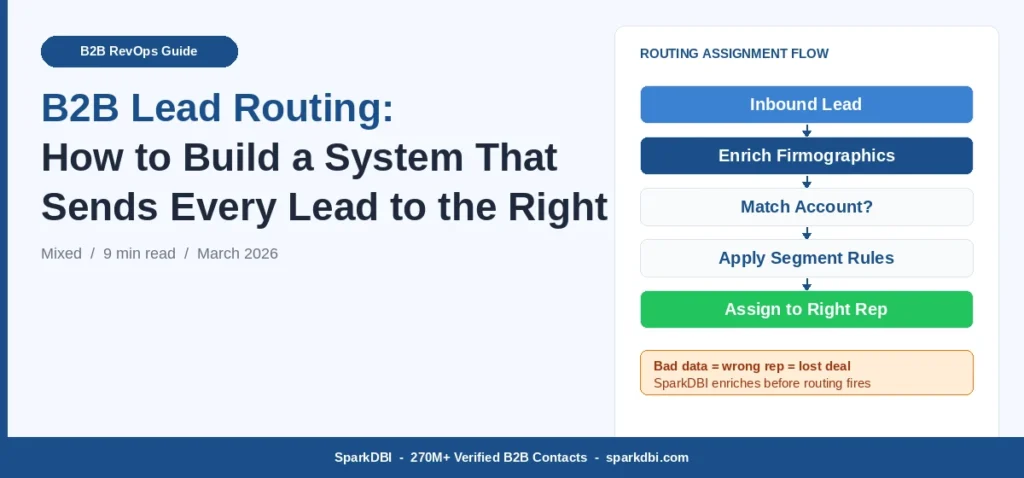
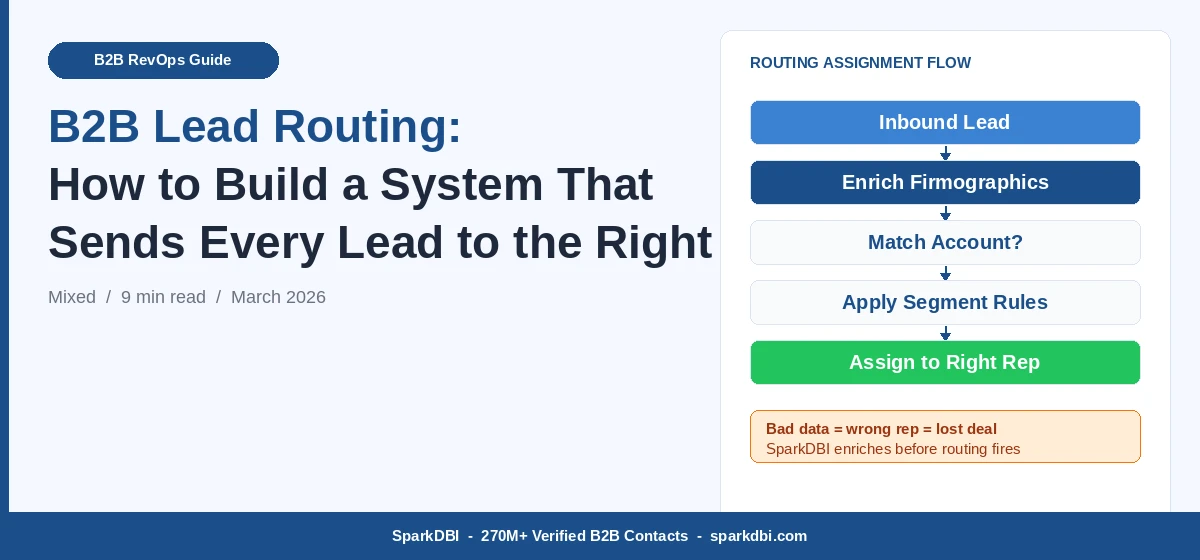
SparkDBI’s B2B data enrichment service appends all five of these fields to existing CRM records and inbound lead feeds. When a lead arrives with only a name and email, enrichment runs against SparkDBI’s 270M+ verified contact database to populate firmographic attributes before routing logic fires – so the right rule applies every time.
How to Set Up Lead Routing in Salesforce and HubSpot
The mechanics differ by platform, but the logic structure is the same. Build your routing rules in priority order: account-match first, then segment/attribute, then territory, then round-robin as the final fallback.
Lead Routing in Salesforce
Salesforce uses Lead Assignment Rules under Setup. The rule entry order matters – Salesforce evaluates rules from top to bottom and assigns on the first match. Build in this sequence:
- Match against existing Account records by domain – assign to Account Owner
- Match by Industry + Employee Count combination – route to vertical pod queue
- Match by State/Country – route to territory owner
- Default to round-robin queue using Apex code or a tool like LeanData
The most common Salesforce routing failure: rules are built against Lead record fields that form submissions don’t populate. Pair your routing setup with real-time enrichment via API so fields are populated before the assignment rule evaluates.
Lead Routing in HubSpot
HubSpot handles routing through Workflows. Use the “Rotate Record” or “Assign to Owner” actions based on Contact or Company property filters. Key steps:
- Create workflows triggered on Contact creation or form submission
- Set enrollment filters based on Company properties – Industry, Number of Employees, Country
- Use “If/Then” branches for segment-specific assignment
- Add a final “Rotate Record” branch for unmatched records as the round-robin fallback
HubSpot’s native enrichment is limited to data available in its database. For complete firmographic coverage across international and niche B2B segments, integrating SparkDBI’s email append and data enrichment API ensures records arrive at your routing workflows fully attributed.
The Data Quality Problem No One Talks About
Most RevOps guides on lead routing focus on rule configuration. Very few focus on the upstream problem: the B2B contact data feeding your routing system decays at roughly 25-30% per year. That means one in four of your routing records is inaccurate within 12 months of your last data refresh.
Job changes are the biggest driver. A director at a 200-person SaaS company moves to a VP role at an enterprise healthcare firm. Your CRM still shows them at the old employer, with the old territory and the old segment tag. When they submit a form at their new company, your routing logic either misassigns the lead based on stale data or fails to match them to the correct target account entirely.
SparkDBI refreshes its global B2B contact database bi-monthly across 270M+ verified contacts sourced from 140+ licensed data partners. Records are validated against active business registrations, LinkedIn profile changes, and third-party confirmation signals – so when a data point changes in the real world, it changes in SparkDBI’s database within 60 days.
What Data Decay Costs Your Routing System
If your CRM holds 50,000 contact records and 28% decay per year, that’s 14,000 records sending leads to the wrong rep or queue annually. At even a modest 2% conversion rate and $5,000 ACV, misrouted data costs an estimated $1.4M in misallocated pipeline per year – not in lost leads, but in leads that reached the wrong person six days late.
How to Test and Audit Your Routing System
Routing problems are invisible until you look for them. Run this audit quarterly:
Step 1: Pull Unassigned Lead Report
Filter for leads created in the last 90 days with no assigned owner. Any non-zero count means a routing rule is failing or missing. These are leads that fell through because no rule matched.
Step 2: Sample 20 Leads Per Rep and Verify Fit
Pull the last 20 leads assigned to each rep. Does each lead match the territory, segment, and account type the rep is supposed to cover? Misrouted leads here indicate a data gap at the field level – wrong industry, wrong size, wrong geography.
Step 3: Check for Active Reps with No Recent Assignments
A rep who’s received no leads in 30 days is either ghosted in the system or their assignment rules are too narrow. A former rep who still receives leads is a ghost record. Both are routing dead ends.
Step 4: Audit Field Completion Rate on New Leads
Pull lead records from the last 30 days and check the completion rate on the five routing fields: industry, company size, country, job title, company domain. Anything below 70% on any field means your routing logic is defaulting to round-robin for more than 30% of leads.
How SparkDBI Keeps Your Lead Routing Data Accurate
SparkDBI is a global B2B and healthcare contact data provider with 270M+ verified contacts across 200+ countries. For revenue teams running territory-based, segment-based, or account-based routing, SparkDBI solves the upstream data problem that makes routing rules fail.
Three ways SparkDBI supports lead routing accuracy:
- Real-time enrichment at point of inbound capture. When a lead submits a form with only an email address, SparkDBI’s API can append firmographic attributes – industry, employee count, revenue band, geography, job title – before the record hits your routing workflow. The rule fires on complete data, not on a name and email.
- Bi-monthly CRM refresh. SparkDBI can run against your existing CRM records every two months to update changed job titles, company moves, and firmographic attributes. Territory assignments stay current. Ghost records surface in the data review process.
- ICP-matched database access. If you’re building a target account list for account-based routing, SparkDBI’s live B2B database gives you verified contacts segmented by industry, company size, geography, and technology stack – so your ABM routing logic starts with a clean foundation, not a scraped list.
The demand generation and ABM campaigns that drive your inbound volume are only as effective as the routing system that handles what they generate. A well-built demand generation strategy pairs clean outbound targeting with clean inbound routing – so the same data quality standard applies from first touch to first call.
See the data quality behind SparkDBI’s routing-ready B2B records
270M+ verified contacts. Bi-monthly refresh. API and CRM delivery. Request 50 free sample contacts matched to your ICP.Talk to a Data Specialist
Frequently Asked Questions
What is lead routing in CRM?
Lead routing in CRM is the automated process of assigning new lead records to the correct sales rep or team based on predefined rules. Most CRM platforms – including Salesforce and HubSpot – support native routing rules. These rules evaluate fields like industry, company size, territory, and lead score to determine assignment. When those fields are incomplete or inaccurate, routing defaults to round-robin or misassigns the lead.
How do you set up lead routing in Salesforce?
Lead routing in Salesforce is configured through Lead Assignment Rules under Setup. You create rule entries in priority order – Salesforce fires the first matching rule and assigns accordingly. For complex routing (account-based matching, round-robin within queues), most enterprise teams use a dedicated routing tool like LeanData, Chili Piper, or a custom Apex trigger alongside native assignment rules.
What is round-robin lead assignment?
Round-robin lead assignment distributes inbound leads evenly across available reps in rotating sequence. Each rep receives the same number of leads over time. It’s the simplest routing model and works as a fallback when other rules don’t match – but it ignores account fit, territory, and segment alignment entirely. Most B2B teams use round-robin only for unmatched leads, not as their primary routing model.
How does territory-based lead routing work?
Territory-based lead routing assigns leads to reps based on the geographic territory they cover – typically defined by country, state, or metro area. It requires accurate location data on the incoming record. Leads without a verified address or country field will miss territory rules and fall through to round-robin. Keeping territory maps current in your CRM and enriching inbound records with verified location data prevents misrouting.
Why are leads being assigned to the wrong rep?
Leads are misassigned when routing rules fire against incomplete, incorrect, or stale data fields. The most common causes are: missing industry or company size on the inbound record (so segment rules can’t fire), outdated territory assignments in the CRM, ghost rep records still active in assignment queues, or account-matching logic failing because the inbound domain doesn’t match the company domain stored in the system. Solving any of these requires data quality work upstream of the routing layer.
What data is needed for account-based lead routing?
Account-based routing requires a clean, deduplicated target account list in your CRM with verified company domains, firmographic attributes (industry, employee count, revenue), and up-to-date account owner assignments. Inbound records must include a matching domain or company name for the routing logic to detect an existing account. Third-party B2B data enrichment – like that provided by SparkDBI – ensures both the account list and the inbound records carry matching, verified attributes.
Related reading: B2B Contact Data and CRM Enrichment Why ICP Targeting Fails With Generic Databases
