B2B Email Deliverability 2026: Why Your Emails Are Landing in Spam (And How to Fix It)
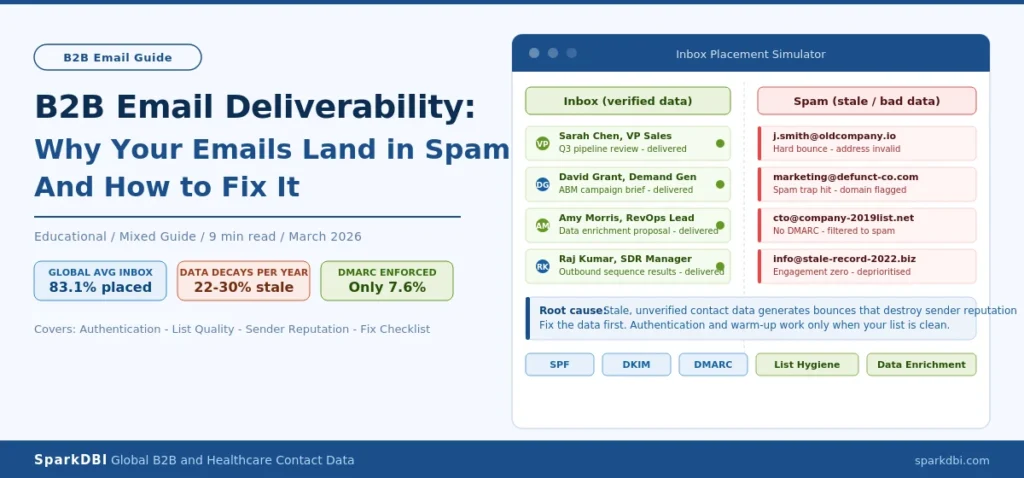
Blog Type: Educational / Mixed | Read Time: 9 min read
Table of Contents
- What Is B2B Email Deliverability?
- Deliverability Rate vs. Delivery Rate: Why the Difference Costs You
- Why B2B Emails Land in Spam in 2026
- The Root Cause Nobody Fixes: Your Contact Data
- Authentication Fundamentals: SPF, DKIM, and DMARC Explained
- Sender Reputation and How to Protect It
- The B2B Email Deliverability Fix Checklist
- Frequently Asked Questions
A demand gen manager at a mid-market SaaS company spends three weeks building a campaign. Copywriter polished. Sequences timed. List sourced. They hit send on 8,000 contacts and wait. Open rate comes back at 4.2%. Two replies. One is from a colleague. The domain is now flagged. Welcome to B2B Email Deliverability 2026
This is not a subject line problem. It is not a copywriting problem. It is a data and infrastructure problem, and it plays out in B2B marketing teams every single week.
B2B email deliverability is the percentage of your emails that actually land in a recipient’s primary inbox, not just a server that accepts them. The global average inbox placement rate sits at 83.1%, meaning roughly one in six B2B marketing emails disappears before a human ever sees it. For teams running outbound on stale or unverified contact data, that number is considerably worse.
This guide covers everything you need to understand and fix B2B email deliverability: how inbox providers actually make decisions, why your contact data is the upstream variable most teams ignore, how authentication works, and a practical checklist you can act on immediately.
Running outbound on an existing contact list? See how SparkDBI’s data enrichment service validates and refreshes B2B contacts before your next send.
What Is B2B Email Deliverability?
B2B email deliverability is the measure of whether your emails reach the recipient’s inbox, specifically the primary inbox, rather than being filtered to spam, quarantined, rejected, or silently discarded. It is not the same as delivery rate. And not the same as open rate. It is the upstream condition that determines whether any other email metric you track actually means anything.
Here is the clearest way to think about it. When you send an email, three things can happen:
- Delivered to inbox: The email passed authentication, cleared spam filters, and landed where the recipient will see it.
- Delivered to spam or promotions: The server accepted the email, but filters moved it out of the primary inbox. Technically “delivered.” Functionally invisible.
- Rejected or bounced: The receiving server refused the email entirely. This can be a hard bounce (bad address) or a soft bounce (temporary issue).
Most email platforms report “delivery rate,” which measures category one and two combined. That is why a 98% delivery rate can coexist with catastrophic campaign performance. Your emails are being accepted by servers. They are not being seen by people.
For B2B senders specifically, inbox placement is governed by four interconnected variables: email authentication, sender reputation, list quality, and engagement signals. All four must be maintained simultaneously. Fixing one while neglecting the others produces diminishing returns at best and a false sense of security at worst.
Deliverability Rate vs. Delivery Rate: Why the Difference Costs You
The single most common deliverability misconception in B2B marketing is treating delivery rate and deliverability rate as the same metric. They are not. Conflating them produces dashboards that look healthy while pipeline quietly starves.
Delivery rate measures the percentage of emails accepted by receiving mail servers. An email is “delivered” the moment the server acknowledges receipt. That includes emails sitting in spam folders, promotions tabs, and junk queues that will never be read.
Deliverability rate (or inbox placement rate) measures the percentage of emails that reach the primary inbox. This is the number that connects to open rates, reply rates, and pipeline.
The gap between these two numbers is where revenue disappears. According to research from Validity, the global average deliverability rate is 83.1%. That means 16.9% of emails that are technically “delivered” never reach a visible inbox. For organizations sending 100,000 emails per month, that is 16,900 messages that counted toward your delivery rate and generated zero revenue.
Regional performance varies significantly. European B2B senders achieve inbox placement rates averaging 89.1% to 91%, largely because GDPR compliance requirements have pushed senders toward cleaner lists and verified contact data. Asia-Pacific averages just 78%. North America sits at approximately 85%. The difference is not geography. It is data quality and compliance discipline.
Key Benchmark: The global average B2B email inbox placement rate is 83.1%, meaning roughly 1 in 6 emails never reaches a visible inbox. European senders using GDPR-compliant, verified lists average 89-91% inbox placement. (Source: Validity Email Deliverability Benchmark Report, 2026)
Why B2B Emails Land in Spam in 2026
Inbox providers have become significantly more sophisticated in how they evaluate incoming email. In 2026, spam filtering is no longer primarily about detecting spammy words in subject lines. It is about measuring systemic trust across multiple dimensions, and that trust is built (or destroyed) long before you hit send on any individual campaign.
Here are the primary reasons B2B emails land in spam or get rejected, in order of frequency and severity.
1. Failed or Incomplete Email Authentication
Google, Yahoo, and Microsoft now require SPF, DKIM, and DMARC authentication for bulk senders. Microsoft extended its requirements to all commercial senders in May 2025. Despite this, only 33.4% of top websites have a valid DMARC record, and fewer than 16% enforce it at the reject or quarantine level. Emails that fail authentication do not receive a second chance in the spam folder. They are rejected outright or quietly silenced.
2. High Bounce Rates from Unverified Contact Data
Hard bounces are among the fastest ways to destroy sender reputation. A bounce rate above 2% begins to affect inbox placement. Above 5%, inbox placement rates drop measurably across all providers. Above 10%, domain blacklisting becomes a real risk. B2B contact data decays at roughly 22% to 30% per year, meaning a list that was accurate when you purchased it 12 months ago may have a significant portion of bad addresses today, even if no one has touched it since.
3. Low Engagement Signals
Gmail, Outlook, and corporate mail servers increasingly use engagement signals to determine inbox placement. If recipients consistently ignore your emails, even if they do not mark them as spam, inbox providers interpret that as a quality signal. Over time, low engagement pushes future sends deeper into spam or promotions tabs. This is a compounding problem: poor deliverability produces poor engagement, which produces worse deliverability.
4. Sending to Spam Traps
Spam traps are email addresses maintained by inbox providers and anti-spam organizations to identify senders with poor list hygiene. They are never used for real communication. Hitting one signals that your list contains old, unverified, or purchased addresses that have not been properly validated. A single spam trap hit can damage domain reputation immediately.
5. Missing or Incorrect Unsubscribe Mechanisms
Gmail and Yahoo require one-click unsubscribe functionality for bulk senders. If your emails do not include a functioning unsubscribe mechanism, or if the process is slow and friction-heavy, complaint rates rise, which damages sender reputation faster than almost any other signal.
The Root Cause Nobody Fixes: Your Contact Data
Most B2B deliverability guides focus on the technical infrastructure: authentication records, warm-up protocols, domain selection. These are real and important. But there is a variable that sits upstream of all of them and directly determines whether your technical setup is enough.
That variable is the quality of your contact data.
Here is why this matters more than most teams realize. Authentication tells inbox providers that your sending infrastructure is legitimate. But the signal that actually determines long-term inbox placement is engagement. And engagement is impossible when you are sending to inaccurate, outdated, or unverified contacts.
The mechanics are straightforward. Bad contacts generate hard bounces. Hard bounces signal to Gmail, Outlook, and every major inbox provider that your domain is unreliable. Once that reputation signal is damaged, even your good contacts, the verified ones on active email addresses, start receiving your messages with reduced priority. The bad data poisons the entire campaign.
SparkDBI Data Insight: B2B contact data decays at 22-30% per year. A list at 95% accuracy today is likely at 65-70% accuracy in 12 months without active verification and refresh. This is not a data vendor problem. It is a physical reality of how frequently professionals change jobs, email addresses, and company affiliations. SparkDBI refreshes its contact database every two months to ensure delivered records are never more than eight weeks old at point of use.
We see this pattern consistently with demand gen teams who come to SparkDBI after a deliverability crisis. The sequence is almost always identical. They purchased or built a list, ran campaigns for several months, saw gradual open rate decline, attributed it to content quality, made no structural changes, and eventually discovered that bounce rates had climbed above 5% without anyone noticing. By that point, domain reputation is damaged and recovery takes weeks of reduced sending volume to rebuild.
The fix is not reactive. It is structural. Verified, regularly refreshed contact data is not a nice-to-have for B2B email programs. It is the foundation on which everything else depends.
Before your next campaign, use SparkDBI’s verified B2B contact database to cross-check your list quality, or consider running a full CRM data enrichment pass to identify and replace contacts that have gone stale.
How to Audit Your Contact Data Before You Send
Before sending to any list, run through this sequence:
- Check hard bounce rates on your last three campaigns. If any campaign exceeded 2%, treat your list as degraded until verified. If any exceeded 5%, pause outbound until you have cleaned the list.
- Run active inbox validation. Tools like NeverBounce or ZeroBounce check whether an email address exists and is capable of receiving mail. This will catch the obvious invalid addresses before they generate bounces.
- Cross-reference for job changes. Email validation catches invalid addresses. It does not catch people who have changed jobs but whose old email still accepts mail. For any high-value target segment, manual LinkedIn cross-referencing or a data provider refresh is the only reliable method.
- Suppress unengaged contacts. Anyone who has not opened or clicked an email in six months is an engagement liability. Suppress them before your next send, or move them to a dedicated re-engagement sequence before including them in active campaigns.
- Check for spam trap risk. If your list is more than 12 months old and has not been verified, it almost certainly contains spam traps. Any vendor list purchased without recent verification carries this risk.
Authentication Fundamentals: SPF, DKIM, and DMARC Explained
Email authentication is the minimum baseline for inbox placement in 2026. Without it, inbox providers have no reliable way to confirm that your emails are legitimate, and they will filter or reject them accordingly. If you are not yet fully configured on all three authentication standards, this is the first thing to fix.
SPF (Sender Policy Framework)
SPF is a DNS record that tells receiving mail servers which IP addresses and services are authorized to send email on behalf of your domain. When a recipient’s server receives an email from you, it checks your SPF record to confirm the sending server is on the approved list. If it is not, the email fails SPF and is flagged.
The most common SPF failure for B2B teams is having too many DNS lookups in the record (SPF has a 10-lookup limit) or having outdated entries from old sending platforms. If you have added new tools like a marketing automation platform, sales engagement tool, or CRM email integration without updating your SPF record, you are almost certainly seeing authentication failures you do not know about.
DKIM (DomainKeys Identified Mail)
DKIM adds a cryptographic signature to each outgoing email. That signature is tied to your domain and verified against a public key in your DNS records. It proves two things to the receiving server: the email genuinely originated from your domain, and the content was not altered in transit. Without DKIM, inbox providers cannot verify message integrity, and your emails are treated as lower-trust signals.
A common DKIM mistake in B2B environments is allowing your email service provider to sign emails using their domain instead of yours. DKIM technically passes, but DMARC alignment fails because the signing domain does not match your From address. This is a silent failure that damages inbox placement without showing up as an obvious authentication error.
DMARC (Domain-based Message Authentication, Reporting, and Conformance)
DMARC ties SPF and DKIM together and tells receiving servers what to do when authentication fails. It has three policy settings: none (monitor only), quarantine (send to spam), and reject (do not deliver). DMARC also sends you reports on authentication activity from your domain, which is how you identify sending sources you may have missed.
Currently, only 7.6% of domains enforce DMARC at the quarantine or reject level. The other 92.4% are either not using DMARC at all or are set to p=none, which monitors without taking action. Gmail and Microsoft now treat DMARC enforcement as a trust signal for bulk senders. Being at p=none signals to inbox providers that your domain is not fully secured, and that affects placement decisions even when your emails technically pass other checks.
| Authentication Protocol | What It Does | Most Common Failure |
|---|---|---|
| SPF | Authorizes which servers can send from your domain | Too many DNS lookups, outdated sending tool entries |
| DKIM | Cryptographic signature proving message integrity and origin | Signing with ESP domain instead of your own domain |
| DMARC | Policy enforcement layer tying SPF and DKIM together | Set to p=none (monitoring only), never enforced |
Want to see what a fully verified B2B contact list looks like before you fix your deliverability infrastructure? Explore SparkDBI’s live B2B database dashboard to review contact coverage, refresh rates, and accuracy benchmarks for your target audience.
Sender Reputation and How to Protect It
Sender reputation is the cumulative trust score your sending domain and IP address have built (or destroyed) with inbox providers. It is recalculated continuously based on your sending behavior, and it is the primary variable that determines inbox placement once authentication is in place.
Think of sender reputation as a credit score for your email program. It takes time to build, it degrades quickly when you make mistakes, and recovery requires consistent positive behavior over an extended period. Unlike a credit score, there is no single number you can check. Every major inbox provider maintains its own reputation signals internally.
The Signals That Build Reputation
- Low bounce rates: Keeping hard bounces below 2% demonstrates that your list is clean and current.
- Strong engagement: Opens, replies, and forwards signal to inbox providers that your recipients want your emails. Even time-spent-reading is being used as a signal by major providers in 2026.
- Low spam complaint rates: The threshold for damage is lower than most teams assume. A spam complaint rate above 0.1% starts affecting reputation. Above 0.3% causes serious deliverability problems.
- Consistent sending patterns: Inbox providers reward predictable volume. Sudden spikes, like the jump from 500 to 50,000 emails overnight, trigger algorithmic flags even when the underlying list is clean.
- Authenticated domains: Full SPF, DKIM, and DMARC compliance signals that your domain is managed by someone who cares about email quality.
Domain Warming: Why New Sending Domains Need a Ramp
New domains have no reputation history. When you start sending immediately at high volume from a new domain, inbox providers have no basis for trust and apply maximum skepticism. This is why domain warming exists.
A standard warm-up protocol looks like this: 5 to 10 emails per day in week one, scaling to 15 to 20 by week two, 30 to 40 by week three, and standard sending volume by week four. The emails sent during warm-up should be to your most engaged contacts, people who are highly likely to open and reply. Early positive engagement signals build the reputation baseline that later high-volume sends can rely on.
Most deliverability experts recommend capping cold email volume at 30 to 50 emails per mailbox per day for ongoing outbound programs. Exceeding this, especially on newer domains, significantly increases the probability of spam folder placement.
Separate Your Sending Domains by Function
One of the highest-leverage infrastructure decisions a B2B marketing team can make is separating sending domains by email type. Your primary company domain should be used for transactional emails and direct sales correspondence only. Marketing campaigns, newsletters, and outbound prospecting should run from dedicated subdomains or sending domains.
If a marketing campaign generates elevated spam complaints or bounce rates, the reputation damage stays contained to that sending domain. Your primary domain, and all the trust it has built for transactional communication, remains protected. This is not a complex infrastructure change. It is a simple architectural decision that prevents a single bad campaign from disrupting your entire email operation.
The B2B Email Deliverability Fix Checklist
Use this checklist to audit your current deliverability setup. Work through it in order. The categories are sequenced from foundational to advanced because there is no point optimizing engagement signals if your authentication is failing, and there is no point warming up a domain if your contact list is going to generate 8% bounce rates on day one.
Step 1: Fix Authentication First
- SPF record is published and has fewer than 10 DNS lookups
- All current sending platforms (CRM, marketing automation, sales engagement tools) are included in your SPF record
- DKIM is configured on your sending domain (not your ESP’s domain) for every platform you send from
- DMARC is published and set to at minimum p=quarantine (p=none only monitors, it does not protect)
- Google Postmaster Tools is set up and checked weekly
- One-click unsubscribe is enabled on all bulk sends (required for 5,000+ daily sends to Gmail and Yahoo)
Step 2: Clean Your Contact Data Before Every Major Send
- Hard bounce rate on last three campaigns is below 2%
- Active inbox validation has been run on any list older than 90 days
- Contacts inactive for 6+ months have been suppressed or moved to re-engagement sequences
- Any purchased or vendor-sourced list has been validated for accuracy and recency before use
- Spam complaint rate from last campaign was below 0.1%
3: Protect Sender Reputation
- Marketing and outbound sends are running from dedicated subdomains or sending domains, not your primary company domain
- New sending domains are warmed up over 3 to 4 weeks before full-volume sends
- Daily send volume per mailbox does not exceed 30 to 50 emails for cold outreach
- Sending volume is consistent week over week, without sudden spikes
Step 4: Optimize for Engagement Signals
- Segments are based on engagement recency, not just demographic or firmographic fit
- Subject lines are personalized to the recipient’s role or situation, not generic
- First-touch emails are under 100 words and focused on a single, specific value point
- Plain text or minimal-HTML emails are tested alongside heavily designed templates (plain text typically outperforms in B2B cold outreach)
- Wednesday sends are tested against other days (research consistently shows Wednesday as the highest-engagement day for B2B email)
For teams dealing with persistently low inbox placement despite clean infrastructure, the most common remaining culprit is contact list quality. SparkDBI’s email append and enrichment service identifies missing, outdated, and invalid contacts within your existing CRM and replaces them with verified, active records before they generate bounces that damage your domain.
See what your target audience’s contact data looks like in SparkDBI’s database before your next campaign.
Request 50 Free Verified Contacts for Your ICP and run them against your current list to see the accuracy gap firsthand.
Frequently Asked Questions: B2B Email Deliverability
What is B2B email deliverability and why does it matter?
B2B email deliverability is the rate at which your emails reach the recipient’s primary inbox, as opposed to being filtered into spam, quarantined, or rejected. It matters because delivery rate (which most email platforms report) includes emails that land in spam folders and are never seen. The actual inbox placement rate, which is what drives opens, replies, and pipeline, averages 83.1% globally. That means roughly 1 in 6 B2B marketing emails is accepted by a server but never seen by a human.
What is a good inbox placement rate for B2B email?
For B2B senders with full authentication, clean contact data, and healthy engagement patterns, inbox placement rates of 90% to 95% are achievable. The global average is 83.1%. Teams running double opt-in lists consistently verified report average inbox placement of around 94%. If your inbox placement is below 80%, treat it as a deliverability crisis and work through the authentication and list hygiene checklist in this guide before sending any further volume.
Why are my B2B emails going to spam even though my content is not spammy?
In 2026, spam filtering is not primarily about detecting spammy words. Gmail, Outlook, and Microsoft’s mail systems evaluate authentication records (SPF, DKIM, DMARC), sender reputation, historical engagement rates, and bounce rates as the primary signals. If your emails consistently land in spam despite clean content, check your authentication configuration first, then your bounce rate history, then your sending domain’s reputation in Google Postmaster Tools. The content is almost never the primary problem for B2B senders.
How much does bad contact data affect email deliverability?
Bad contact data is one of the two most significant deliverability variables for B2B senders (the other being authentication). Hard bounces above 2% begin to degrade sender reputation. Above 5%, inbox placement drops measurably across all major providers. Senders who clean their contact list every 90 days see bounce rates that are up to 37% lower than teams who only clean annually. B2B data decays at 22% to 30% per year, so any list that has not been verified in the past three months should be treated as partially degraded before use.
Do I need DMARC to achieve good B2B email deliverability?
Yes. DMARC is now a requirement, not a recommendation, for bulk senders to Gmail and Yahoo, and Microsoft extended similar requirements in May 2025. Beyond compliance, DMARC sends you authentication reports that reveal sending sources using your domain that you may not have authorized. Setting DMARC to p=quarantine or p=reject tells inbox providers that you take domain security seriously, which is an active trust signal. Running DMARC at p=none (monitor only) provides data but does not protect your domain or improve placement.
What is domain warming and how long does it take?
Domain warming is the process of gradually increasing your send volume from a new domain over three to four weeks to build a positive sending reputation before scaling. Inbox providers assign new domains no inherent trust, so immediately sending high volume from a new domain triggers spam filters regardless of content or authentication quality. A standard warm-up starts at 5 to 10 emails per day in week one and scales to normal operating volume by week four. The emails sent during warm-up should go to your most engaged contacts to generate the positive engagement signals that build the reputation baseline.
How do I check my email sender reputation?
Google Postmaster Tools (free, available at postmaster.google.com) shows your domain reputation and IP reputation for Gmail traffic. Microsoft offers Smart Network Data Services (SNDS) for Outlook and Hotmail reputation monitoring. For broader reputation monitoring, Validity’s Sender Score tool provides a single reputation metric based on your sending history. Check these tools weekly during active campaigns, not just when you notice a problem. Deliverability issues accumulate gradually, and catching them early significantly reduces the recovery time.
Key Takeaways: B2B Email Deliverability in 2026
- The global average B2B inbox placement rate is 83.1%. One in six emails never reaches the primary inbox, despite being technically “delivered.”
- Delivery rate and deliverability rate are not the same metric. Most email platforms report delivery rate, which includes spam folder placements.
- Email authentication (SPF, DKIM, DMARC) is now mandatory for bulk senders. Only 7.6% of domains enforce DMARC. This is the fastest deliverability gap to close.
- Contact data quality is the upstream variable that determines whether your technical infrastructure is enough. B2B data decays at 22-30% per year. Unverified lists generate bounces that destroy sender reputation over time.
- Sender reputation is built by consistent authentication, low bounce rates, low spam complaint rates, and strong engagement signals. It takes weeks to rebuild after damage.
- New sending domains require 3 to 4 weeks of gradual warm-up before full-volume sends. Jumping to scale immediately guarantees spam placement.
- Separating sending domains by function (transactional vs. marketing vs. outbound) protects your primary domain reputation from campaign-level problems.
- Teams that verify contact data every 90 days see bounce rates up to 37% lower than teams that clean annually.
Written by the SparkDBI Revenue Data Team
Our contributors bring 5+ years of hands-on experience in B2B demand generation, outbound sales operations, and contact data quality management. SparkDBI works with sales and marketing teams across global markets, providing verified B2B and healthcare contact data for outbound prospecting, CRM enrichment, and ABM programs. All deliverability benchmarks and data quality figures referenced in this article reflect current research from Validity, Landbase, and SparkDBI’s verified dataset as of Q1 2026.
Last Updated: March 2026
